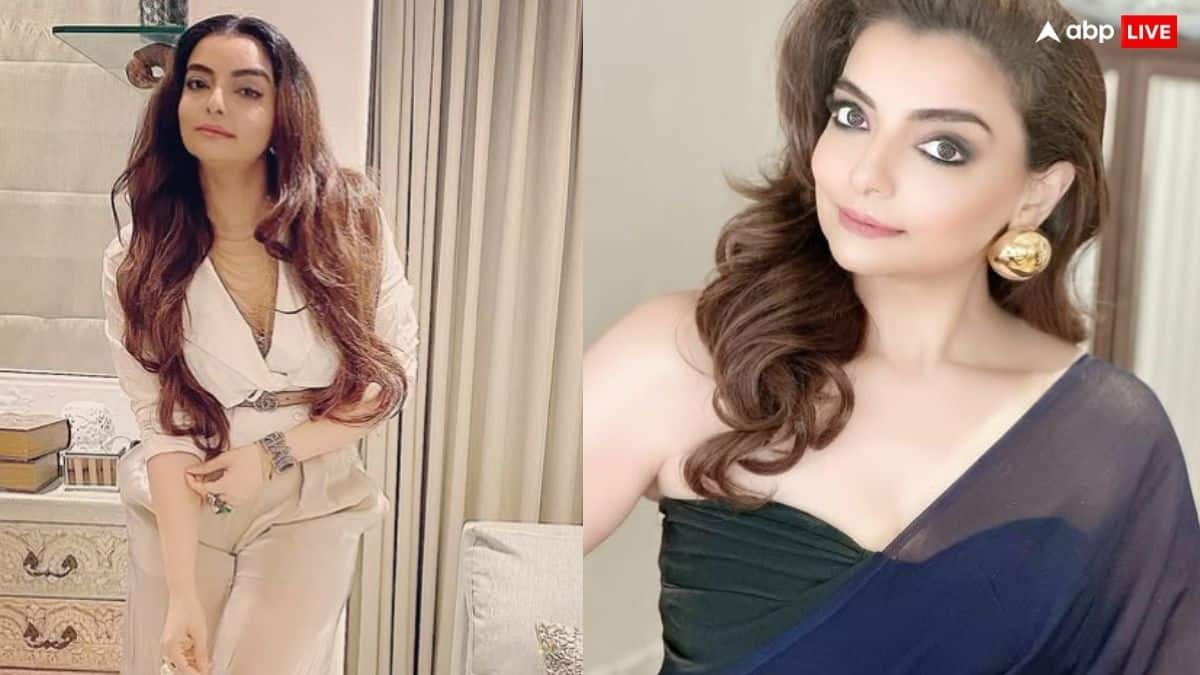
<p style=”text-align: justify;”>बॉलीवुड में ऐसे कोरियोग्राफर बहुत कम होते हैं, जिनकी कला हर उम्र और हर स्टार के दिल को छू जाती है. वैभवी मर्चेंट उनमें से एक हैं. 17 दिसंबर 1975 को चेन्नई में जन्मी वैभवी ने अपने करियर की शुरुआत बहुत ही साधारण तरीके से की थी, लेकिन उनके डांस के जादू ने उन्हें जल्दी ही इंडस्ट्री का चमकता सितारा बना दिया.</p>
<p style=”text-align: justify;”>उनका हुनर इतना खास है कि सलमान खान, आमिर खान और अमिताभ बच्चन जैसे बड़े-बड़े सितारे भी उनके इशारों पर थिरकने लगते हैं. यही वजह है कि कई लोग उन्हें बॉलीवुड की ‘डांस गुरु’ कहते हैं.</p>
<p style=”text-align: justify;”><strong>विरासत में मिली कोरियोग्राफी<br /></strong>वैभवी मर्चेंट का परिवार ही डांस और कोरियोग्राफी से भरा हुआ था. उनकी दादी-दादाजी और उनके चाचा चिन्नी प्रकाश खुद कोरियोग्राफर थे. वैभवी ने अपने करियर की शुरुआत अपने चाचा को असिस्ट करके की थी. बचपन से ही उन्होंने डांस के हर मूव को ध्यान से देखा और सीखने की कोशिश की. उनका सपना हमेशा यही था कि वह बॉलीवुड के बड़े गानों की कोरियोग्राफी खुद करें.</p>
<p style=”text-align: justify;”> </p>
<blockquote class=”instagram-media” style=”background: #FFF; border: 0; border-radius: 3px; box-shadow: 0 0 1px 0 rgba(0,0,0,0.5),0 1px 10px 0 rgba(0,0,0,0.15); margin: 1px; max-width: 540px; min-width: 326px; padding: 0; width: calc(100% – 2px);” data-instgrm-captioned=”” data-instgrm-permalink=”https://www.instagram.com/p/CpscsrHN3Oz/?utm_source=ig_embed&utm_campaign=loading” data-instgrm-version=”14″>
<div style=”padding: 16px;”>
<div style=”display: flex; flex-direction: row; align-items: center;”>
<div style=”background-color: #f4f4f4; border-radius: 50%; flex-grow: 0; height: 40px; margin-right: 14px; width: 40px;”> </div>
<div style=”display: flex; flex-direction: column; flex-grow: 1; justify-content: center;”>
<div style=”background-color: #f4f4f4; border-radius: 4px; flex-grow: 0; height: 14px; margin-bottom: 6px; width: 100px;”> </div>
<div style=”background-color: #f4f4f4; border-radius: 4px; flex-grow: 0; height: 14px; width: 60px;”> </div>
</div>
</div>
<div style=”padding: 19% 0;”> </div>
<div style=”display: block; height: 50px; margin: 0 auto 12px; width: 50px;”> </div>
<div style=”padding-top: 8px;”>
<div style=”color: #3897f0; font-family: Arial,sans-serif; font-size: 14px; font-style: normal; font-weight: 550; line-height: 18px;”>Instagram पर यह पोस्ट देखें</div>
</div>
<div style=”padding: 12.5% 0;”> </div>
<div style=”display: flex; flex-direction: row; margin-bottom: 14px; align-items: center;”>
<div>
<div style=”background-color: #f4f4f4; border-radius: 50%; height: 12.5px; width: 12.5px; transform: translateX(0px) translateY(7px);”> </div>
<div style=”background-color: #f4f4f4; height: 12.5px; transform: rotate(-45deg) translateX(3px) translateY(1px); width: 12.5px; flex-grow: 0; margin-right: 14px; margin-left: 2px;”> </div>
<div style=”background-color: #f4f4f4; border-radius: 50%; height: 12.5px; width: 12.5px; transform: translateX(9px) translateY(-18px);”> </div>
</div>
<div style=”margin-left: 8px;”>
<div style=”background-color: #f4f4f4; border-radius: 50%; flex-grow: 0; height: 20px; width: 20px;”> </div>
<div style=”width: 0; height: 0; border-top: 2px solid transparent; border-left: 6px solid #f4f4f4; border-bottom: 2px solid transparent; transform: translateX(16px) translateY(-4px) rotate(30deg);”> </div>
</div>
<div style=”margin-left: auto;”>
<div style=”width: 0px; border-top: 8px solid #F4F4F4; border-right: 8px solid transparent; transform: translateY(16px);”> </div>
<div style=”background-color: #f4f4f4; flex-grow: 0; height: 12px; width: 16px; transform: translateY(-4px);”> </div>
<div style=”width: 0; height: 0; border-top: 8px solid #F4F4F4; border-left: 8px solid transparent; transform: translateY(-4px) translateX(8px);”> </div>
</div>
</div>
<div style=”display: flex; flex-direction: column; flex-grow: 1; justify-content: center; margin-bottom: 24px;”>
<div style=”background-color: #f4f4f4; border-radius: 4px; flex-grow: 0; height: 14px; margin-bottom: 6px; width: 224px;”> </div>
<div style=”background-color: #f4f4f4; border-radius: 4px; flex-grow: 0; height: 14px; width: 144px;”> </div>
</div>
<p style=”color: #c9c8cd; font-family: Arial,sans-serif; font-size: 14px; line-height: 17px; margin-bottom: 0; margin-top: 8px; overflow: hidden; padding: 8px 0 7px; text-align: center; text-overflow: ellipsis; white-space: nowrap;”><a style=”color: #c9c8cd; font-family: Arial,sans-serif; font-size: 14px; font-style: normal; font-weight: normal; line-height: 17px; text-decoration: none;” href=”https://www.instagram.com/p/CpscsrHN3Oz/?utm_source=ig_embed&utm_campaign=loading” target=”_blank” rel=”noopener”>Vaibhavi Merchant (@vaibhavi.merchant) द्वारा साझा की गई पोस्ट</a></p>
</div>
</blockquote>
<p style=”text-align: justify;”>
<script src=”//www.instagram.com/embed.js” async=””></script>
</p>
<p style=”text-align: justify;”><strong>इस फिल्म में मिला था बड़ा ब्रेक<br /></strong>वैभवी का पहला बड़ा ब्रेक फिल्म ‘हम दिल दे चुके सनम’ से आया. इस फिल्म का गाना ‘ढोली तारो ढोल बाजे’ उनके करियर का पहला बड़ा हिट साबित हुआ. उनके इस गाने की कोरियोग्राफी इतनी शानदार थी कि उन्हें राष्ट्रीय फिल्म पुरस्कार भी मिल गया. इस सफलता ने उन्हें बॉलीवुड के बड़े सितारों के साथ काम करने का मौका दिया.</p>
<p style=”text-align: justify;”> </p>
<blockquote class=”instagram-media” style=”background: #FFF; border: 0; border-radius: 3px; box-shadow: 0 0 1px 0 rgba(0,0,0,0.5),0 1px 10px 0 rgba(0,0,0,0.15); margin: 1px; max-width: 540px; min-width: 326px; padding: 0; width: calc(100% – 2px);” data-instgrm-captioned=”” data-instgrm-permalink=”https://www.instagram.com/p/CmoClS3uQsj/?utm_source=ig_embed&utm_campaign=loading” data-instgrm-version=”14″>
<div style=”padding: 16px;”>
<div style=”display: flex; flex-direction: row; align-items: center;”>
<div style=”background-color: #f4f4f4; border-radius: 50%; flex-grow: 0; height: 40px; margin-right: 14px; width: 40px;”> </div>
<div style=”display: flex; flex-direction: column; flex-grow: 1; justify-content: center;”>
<div style=”background-color: #f4f4f4; border-radius: 4px; flex-grow: 0; height: 14px; margin-bottom: 6px; width: 100px;”> </div>
<div style=”background-color: #f4f4f4; border-radius: 4px; flex-grow: 0; height: 14px; width: 60px;”> </div>
</div>
</div>
<div style=”padding: 19% 0;”> </div>
<div style=”display: block; height: 50px; margin: 0 auto 12px; width: 50px;”> </div>
<div style=”padding-top: 8px;”>
<div style=”color: #3897f0; font-family: Arial,sans-serif; font-size: 14px; font-style: normal; font-weight: 550; line-height: 18px;”>Instagram पर यह पोस्ट देखें</div>
</div>
<div style=”padding: 12.5% 0;”> </div>
<div style=”display: flex; flex-direction: row; margin-bottom: 14px; align-items: center;”>
<div>
<div style=”background-color: #f4f4f4; border-radius: 50%; height: 12.5px; width: 12.5px; transform: translateX(0px) translateY(7px);”> </div>
<div style=”background-color: #f4f4f4; height: 12.5px; transform: rotate(-45deg) translateX(3px) translateY(1px); width: 12.5px; flex-grow: 0; margin-right: 14px; margin-left: 2px;”> </div>
<div style=”background-color: #f4f4f4; border-radius: 50%; height: 12.5px; width: 12.5px; transform: translateX(9px) translateY(-18px);”> </div>
</div>
<div style=”margin-left: 8px;”>
<div style=”background-color: #f4f4f4; border-radius: 50%; flex-grow: 0; height: 20px; width: 20px;”> </div>
<div style=”width: 0; height: 0; border-top: 2px solid transparent; border-left: 6px solid #f4f4f4; border-bottom: 2px solid transparent; transform: translateX(16px) translateY(-4px) rotate(30deg);”> </div>
</div>
<div style=”margin-left: auto;”>
<div style=”width: 0px; border-top: 8px solid #F4F4F4; border-right: 8px solid transparent; transform: translateY(16px);”> </div>
<div style=”background-color: #f4f4f4; flex-grow: 0; height: 12px; width: 16px; transform: translateY(-4px);”> </div>
<div style=”width: 0; height: 0; border-top: 8px solid #F4F4F4; border-left: 8px solid transparent; transform: translateY(-4px) translateX(8px);”> </div>
</div>
</div>
<div style=”display: flex; flex-direction: column; flex-grow: 1; justify-content: center; margin-bottom: 24px;”>
<div style=”background-color: #f4f4f4; border-radius: 4px; flex-grow: 0; height: 14px; margin-bottom: 6px; width: 224px;”> </div>
<div style=”background-color: #f4f4f4; border-radius: 4px; flex-grow: 0; height: 14px; width: 144px;”> </div>
</div>
<p style=”color: #c9c8cd; font-family: Arial,sans-serif; font-size: 14px; line-height: 17px; margin-bottom: 0; margin-top: 8px; overflow: hidden; padding: 8px 0 7px; text-align: center; text-overflow: ellipsis; white-space: nowrap;”><a style=”color: #c9c8cd; font-family: Arial,sans-serif; font-size: 14px; font-style: normal; font-weight: normal; line-height: 17px; text-decoration: none;” href=”https://www.instagram.com/p/CmoClS3uQsj/?utm_source=ig_embed&utm_campaign=loading” target=”_blank” rel=”noopener”>Vaibhavi Merchant (@vaibhavi.merchant) द्वारा साझा की गई पोस्ट</a></p>
</div>
</blockquote>
<p style=”text-align: justify;”>
<script src=”//www.instagram.com/embed.js” async=””></script>
</p>
<p style=”text-align: justify;”><strong>’कजरा रे’ गाने से जीता अवार्ड<br /></strong>इसके बाद वैभवी ने कई सुपरहिट फिल्मों में अपनी कला का जादू बिखेरा. 2001 में आई फिल्म ‘लगान’ का गाना ‘ओ री छोरी’ उनके करियर का एक और यादगार पल था. फिर 2005 में आई फिल्म ‘बंटी और बबली’ का गाना ‘कजरा रे’ ने उन्हें हर घर में लोकप्रिय बना दिया. इस गाने में ऐश्वर्या राय, अमिताभ बच्चन और अभिषेक बच्चन को उनके निर्देशन में डांस करते देखना वाकई लोगों के लिए मजेदार अनुभव था. यही नहीं, इस गाने के लिए उन्हें आईफा और जी सिने अवॉर्ड भी मिले.</p>
<p style=”text-align: justify;”> </p>
<blockquote class=”instagram-media” style=”background: #FFF; border: 0; border-radius: 3px; box-shadow: 0 0 1px 0 rgba(0,0,0,0.5),0 1px 10px 0 rgba(0,0,0,0.15); margin: 1px; max-width: 540px; min-width: 326px; padding: 0; width: calc(100% – 2px);” data-instgrm-captioned=”” data-instgrm-permalink=”https://www.instagram.com/reel/CmDpa_7q78q/?utm_source=ig_embed&utm_campaign=loading” data-instgrm-version=”14″>
<div style=”padding: 16px;”>
<div style=”display: flex; flex-direction: row; align-items: center;”>
<div style=”background-color: #f4f4f4; border-radius: 50%; flex-grow: 0; height: 40px; margin-right: 14px; width: 40px;”> </div>
<div style=”display: flex; flex-direction: column; flex-grow: 1; justify-content: center;”>
<div style=”background-color: #f4f4f4; border-radius: 4px; flex-grow: 0; height: 14px; margin-bottom: 6px; width: 100px;”> </div>
<div style=”background-color: #f4f4f4; border-radius: 4px; flex-grow: 0; height: 14px; width: 60px;”> </div>
</div>
</div>
<div style=”padding: 19% 0;”> </div>
<div style=”display: block; height: 50px; margin: 0 auto 12px; width: 50px;”> </div>
<div style=”padding-top: 8px;”>
<div style=”color: #3897f0; font-family: Arial,sans-serif; font-size: 14px; font-style: normal; font-weight: 550; line-height: 18px;”>Instagram पर यह पोस्ट देखें</div>
</div>
<div style=”padding: 12.5% 0;”> </div>
<div style=”display: flex; flex-direction: row; margin-bottom: 14px; align-items: center;”>
<div>
<div style=”background-color: #f4f4f4; border-radius: 50%; height: 12.5px; width: 12.5px; transform: translateX(0px) translateY(7px);”> </div>
<div style=”background-color: #f4f4f4; height: 12.5px; transform: rotate(-45deg) translateX(3px) translateY(1px); width: 12.5px; flex-grow: 0; margin-right: 14px; margin-left: 2px;”> </div>
<div style=”background-color: #f4f4f4; border-radius: 50%; height: 12.5px; width: 12.5px; transform: translateX(9px) translateY(-18px);”> </div>
</div>
<div style=”margin-left: 8px;”>
<div style=”background-color: #f4f4f4; border-radius: 50%; flex-grow: 0; height: 20px; width: 20px;”> </div>
<div style=”width: 0; height: 0; border-top: 2px solid transparent; border-left: 6px solid #f4f4f4; border-bottom: 2px solid transparent; transform: translateX(16px) translateY(-4px) rotate(30deg);”> </div>
</div>
<div style=”margin-left: auto;”>
<div style=”width: 0px; border-top: 8px solid #F4F4F4; border-right: 8px solid transparent; transform: translateY(16px);”> </div>
<div style=”background-color: #f4f4f4; flex-grow: 0; height: 12px; width: 16px; transform: translateY(-4px);”> </div>
<div style=”width: 0; height: 0; border-top: 8px solid #F4F4F4; border-left: 8px solid transparent; transform: translateY(-4px) translateX(8px);”> </div>
</div>
</div>
<div style=”display: flex; flex-direction: column; flex-grow: 1; justify-content: center; margin-bottom: 24px;”>
<div style=”background-color: #f4f4f4; border-radius: 4px; flex-grow: 0; height: 14px; margin-bottom: 6px; width: 224px;”> </div>
<div style=”background-color: #f4f4f4; border-radius: 4px; flex-grow: 0; height: 14px; width: 144px;”> </div>
</div>
<p style=”color: #c9c8cd; font-family: Arial,sans-serif; font-size: 14px; line-height: 17px; margin-bottom: 0; margin-top: 8px; overflow: hidden; padding: 8px 0 7px; text-align: center; text-overflow: ellipsis; white-space: nowrap;”><a style=”color: #c9c8cd; font-family: Arial,sans-serif; font-size: 14px; font-style: normal; font-weight: normal; line-height: 17px; text-decoration: none;” href=”https://www.instagram.com/reel/CmDpa_7q78q/?utm_source=ig_embed&utm_campaign=loading” target=”_blank” rel=”noopener”>Vaibhavi Merchant (@vaibhavi.merchant) द्वारा साझा की गई पोस्ट</a></p>
</div>
</blockquote>
<p style=”text-align: justify;”>
<script src=”//www.instagram.com/embed.js” async=””></script>
</p>
<p style=”text-align: justify;”><strong>’बेशरम रंग’ गाने में भरा शानदार कोरियोग्राफ का रंग<br /></strong>वैभवी मर्चेंट ने सलमान खान की ‘दबंग 3’ के गाने ‘मुन्ना बदनाम हुआ’ की कोरियोग्राफी भी की. इस गाने में सलमान खान अपने हिट मूव्स के साथ वैभवी के निर्देशन में थिरकते नजर आए. यही नहीं, <a title=”शाहरुख खान” href=”https://www.abplive.com/topic/shah-rukh-khan” data-type=”interlinkingkeywords”>शाहरुख खान</a> और दीपिका पादुकोण की फिल्म ‘पठान’ के गाने ‘बेशरम रंग’ में दीपिका के डांस मूव्स को वैभवी ने इतनी खूबसूरती से कोरियोग्राफ किया कि वह तुरंत ही दर्शकों का पसंदीदा बन गया.</p>
<p style=”text-align: justify;”> </p>
<blockquote class=”instagram-media” style=”background: #FFF; border: 0; border-radius: 3px; box-shadow: 0 0 1px 0 rgba(0,0,0,0.5),0 1px 10px 0 rgba(0,0,0,0.15); margin: 1px; max-width: 540px; min-width: 326px; padding: 0; width: calc(100% – 2px);” data-instgrm-captioned=”” data-instgrm-permalink=”https://www.instagram.com/reel/CvEu5KXsN4V/?utm_source=ig_embed&utm_campaign=loading” data-instgrm-version=”14″>
<div style=”padding: 16px;”>
<div style=”display: flex; flex-direction: row; align-items: center;”>
<div style=”background-color: #f4f4f4; border-radius: 50%; flex-grow: 0; height: 40px; margin-right: 14px; width: 40px;”> </div>
<div style=”display: flex; flex-direction: column; flex-grow: 1; justify-content: center;”>
<div style=”background-color: #f4f4f4; border-radius: 4px; flex-grow: 0; height: 14px; margin-bottom: 6px; width: 100px;”> </div>
<div style=”background-color: #f4f4f4; border-radius: 4px; flex-grow: 0; height: 14px; width: 60px;”> </div>
</div>
</div>
<div style=”padding: 19% 0;”> </div>
<div style=”display: block; height: 50px; margin: 0 auto 12px; width: 50px;”> </div>
<div style=”padding-top: 8px;”>
<div style=”color: #3897f0; font-family: Arial,sans-serif; font-size: 14px; font-style: normal; font-weight: 550; line-height: 18px;”>Instagram पर यह पोस्ट देखें</div>
</div>
<div style=”padding: 12.5% 0;”> </div>
<div style=”display: flex; flex-direction: row; margin-bottom: 14px; align-items: center;”>
<div>
<div style=”background-color: #f4f4f4; border-radius: 50%; height: 12.5px; width: 12.5px; transform: translateX(0px) translateY(7px);”> </div>
<div style=”background-color: #f4f4f4; height: 12.5px; transform: rotate(-45deg) translateX(3px) translateY(1px); width: 12.5px; flex-grow: 0; margin-right: 14px; margin-left: 2px;”> </div>
<div style=”background-color: #f4f4f4; border-radius: 50%; height: 12.5px; width: 12.5px; transform: translateX(9px) translateY(-18px);”> </div>
</div>
<div style=”margin-left: 8px;”>
<div style=”background-color: #f4f4f4; border-radius: 50%; flex-grow: 0; height: 20px; width: 20px;”> </div>
<div style=”width: 0; height: 0; border-top: 2px solid transparent; border-left: 6px solid #f4f4f4; border-bottom: 2px solid transparent; transform: translateX(16px) translateY(-4px) rotate(30deg);”> </div>
</div>
<div style=”margin-left: auto;”>
<div style=”width: 0px; border-top: 8px solid #F4F4F4; border-right: 8px solid transparent; transform: translateY(16px);”> </div>
<div style=”background-color: #f4f4f4; flex-grow: 0; height: 12px; width: 16px; transform: translateY(-4px);”> </div>
<div style=”width: 0; height: 0; border-top: 8px solid #F4F4F4; border-left: 8px solid transparent; transform: translateY(-4px) translateX(8px);”> </div>
</div>
</div>
<div style=”display: flex; flex-direction: column; flex-grow: 1; justify-content: center; margin-bottom: 24px;”>
<div style=”background-color: #f4f4f4; border-radius: 4px; flex-grow: 0; height: 14px; margin-bottom: 6px; width: 224px;”> </div>
<div style=”background-color: #f4f4f4; border-radius: 4px; flex-grow: 0; height: 14px; width: 144px;”> </div>
</div>
<p style=”color: #c9c8cd; font-family: Arial,sans-serif; font-size: 14px; line-height: 17px; margin-bottom: 0; margin-top: 8px; overflow: hidden; padding: 8px 0 7px; text-align: center; text-overflow: ellipsis; white-space: nowrap;”><a style=”color: #c9c8cd; font-family: Arial,sans-serif; font-size: 14px; font-style: normal; font-weight: normal; line-height: 17px; text-decoration: none;” href=”https://www.instagram.com/reel/CvEu5KXsN4V/?utm_source=ig_embed&utm_campaign=loading” target=”_blank” rel=”noopener”>Vaibhavi Merchant (@vaibhavi.merchant) द्वारा साझा की गई पोस्ट</a></p>
</div>
</blockquote>
<p style=”text-align: justify;”>
<script src=”//www.instagram.com/embed.js” async=””></script>
</p>
<p style=”text-align: justify;”>वैभवी का करियर सिर्फ गानों तक सीमित नहीं रहा. उन्होंने ‘नच बलिए’, ‘झलक दिखला जा’ और ‘जस्ट डांस’ जैसे टेलीविजन रियलिटी शो में जज के रूप में भी काम किया. इन शो में उन्होंने युवा प्रतिभाओं को डांस टिप्स दिए.</p>
Subscribe to Updates
Get the latest creative news from FooBar about art, design and business.
इस हसीना के इशारों पर नाच चुके हैं सलमान-आमिर और शाहरुख खान, अमिताभ भी नहीं रहे अछूते